The wrong product
A look-alike size or colour goes in the box, and you pay to send the right one.

Show each item to the camera: Boxwitness reads its barcode or label, checks it against the order and stops a wrong, extra or missing item before the box is sealed. Every box is filmed, and your customer can film the unboxing too.
On Shopify? Install from the Shopify App Store · free plan, no card needed · paid plans from $19 a month
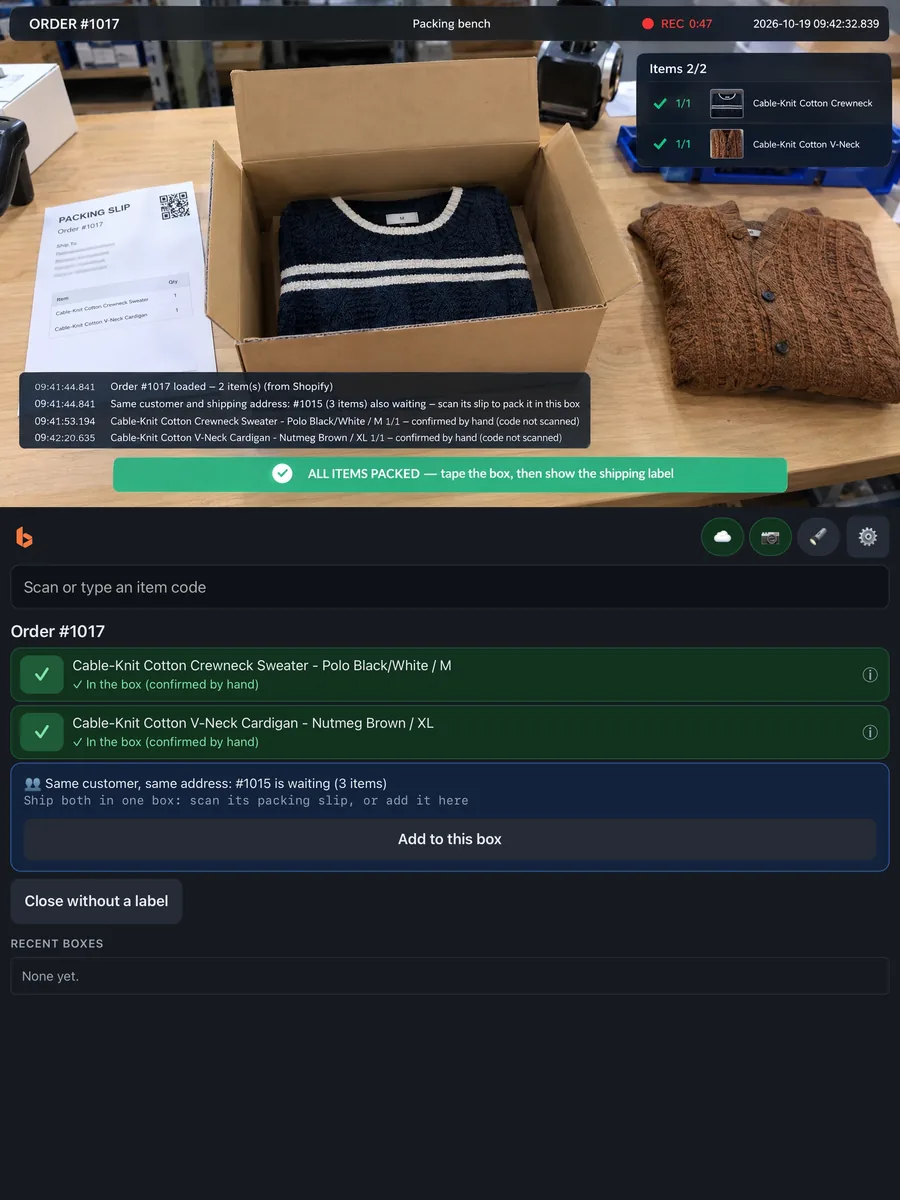
Order #1017Checking each item
2 of 2 items in the box · ready to seal
The problem
Every mistake is paid for twice: once in the refund or the reshipment, and again in the time it takes to work out what happened, often with nothing to go on but someone's memory of a box packed weeks ago.
A look-alike size or colour goes in the box, and you pay to send the right one.
One item left out means a refund or a second shipment.
Was it packed well, or broken on the way? Without a record, it's your word against theirs.
A return comes back empty, swapped or used, after the refund has gone out.
“The box was empty.” A chargeback asks what was inside, and you need to show it.
A delivery arrives short or damaged, and the supplier asks for evidence.
Searching emails and asking the team about one order, then doing it again for the next.
Shipping both ways, refunds, chargeback fees, lost stock and your team's time, on top of the item itself.
How it works
Know what went in. Document what came out. Five steps, one record for every order.
Show or scan the packing slip, then each item, with the camera or a handheld barcode scanner. Products and quantities are checked against the order.
With a camera, the box is filmed from the first scan to the shipping label, with the order on screen, and the video is saved with the order.
Print the box's unboxing sticker as you pack. Its unique QR code connects the package to its record.
When it arrives, the customer can scan the sticker and choose to film opening it. No app, no account.
When a question comes up, open the order: the checks, your packing video and the customer's video, in one place.
Step 2 needs a camera. Steps 3 and 4 are optional: unboxing stickers are off until you turn them on, and you choose which boxes get one.
A webcam or a phone's camera reads the packing slip, each item and the shipping label, and a handheld scanner works alongside it.
Use a USB or Bluetooth barcode scanner: scan the packing slip, each item, then the shipping label. The station's screen becomes a large checklist.
Choose for each station in its settings, and switch whenever you like. A 2D scanner also reads the QR codes on packing slips and Boxwitness labels.
What you need
Point a webcam at your packing desk and open the station in Chrome, or use the Boxwitness Station app on an iPhone or Android phone, on a stand or in your hand. Connect it with a short code. A handheld barcode scanner works with either, or on its own if you have no camera. A USB scale and a label printer are optional.


Customer unboxing
Your team documents what goes into the package. Your customer can document what comes out. One shipment, two perspectives, connected through a unique QR code.
Packed on videoYour station's recording, saved with the order (screenshot)
Shipped with its QR stickerPrinted as you pack, unique to this box (illustration)
Show the label, open the box, show each item. Tap Stop when you're done.
StopOpened on the customer's phoneIf they choose to film it (illustration)
One package. Two perspectives. One evidence trail.
For expensive electronics, luxury goods, jewelry, collectibles and other high-value orders, an optional customer unboxing video gives you another perspective when you look into a shipment issue.
A customer's video adds a second perspective to your records. It doesn't make a package tamper-proof, and it doesn't decide a dispute on its own.
Packing verification
Boxwitness checks the box while it's packed, so the wrong size, a swapped item or a missing one is caught at your bench, not by your customer.
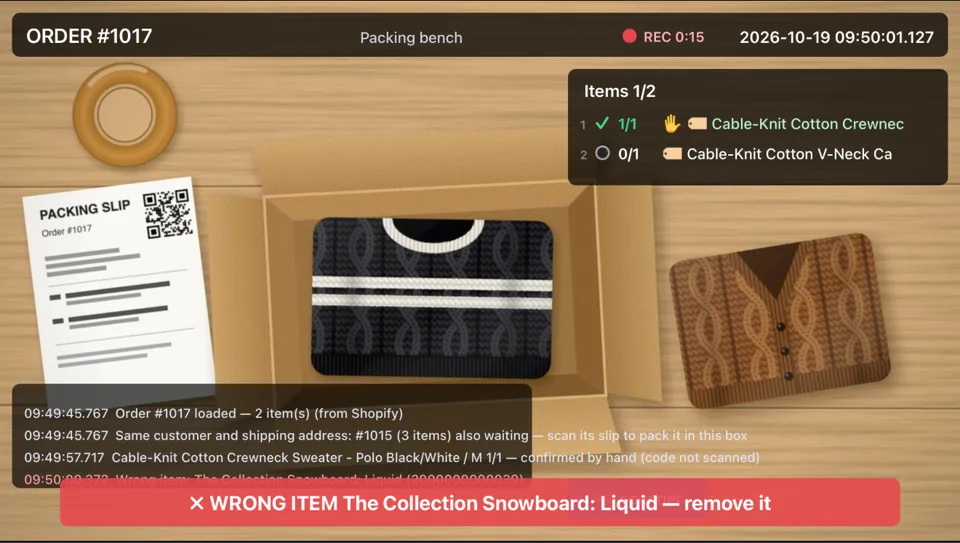
✗ WRONG ITEM — remove it, and is noted on the record as caught.Wrong item caught
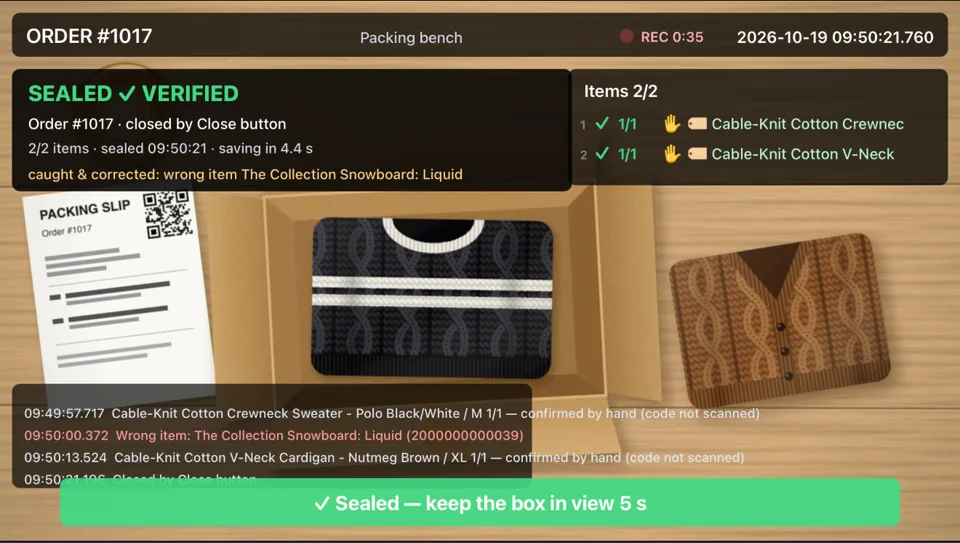
Corrected, sealed and verified
Screenshots of the Boxwitness Station app with a sample order.
Returns and supplier receiving
Show the return's label and open the box on camera. Each item is checked against the order it came from.
Forward your supplier order emails, and Boxwitness follows the packages until they arrive. Then open each one on camera.
Inventory that keeps itself up to date. Every box packed, return checked and delivery received moves your stock, with the video to show why. About inventory
See it in action
One order, from the packing station to the customer's unboxing, in eight steps. Screenshots of the app and illustrations of the customer's side: no real customer footage.
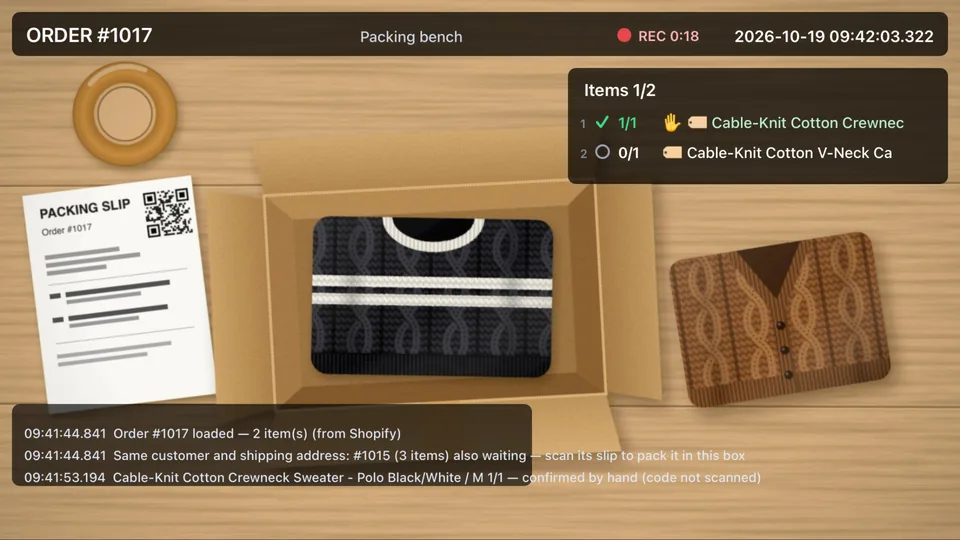
The packing slip's QR code opens order #1017, and the station lists what goes in the box. (Screenshot.)
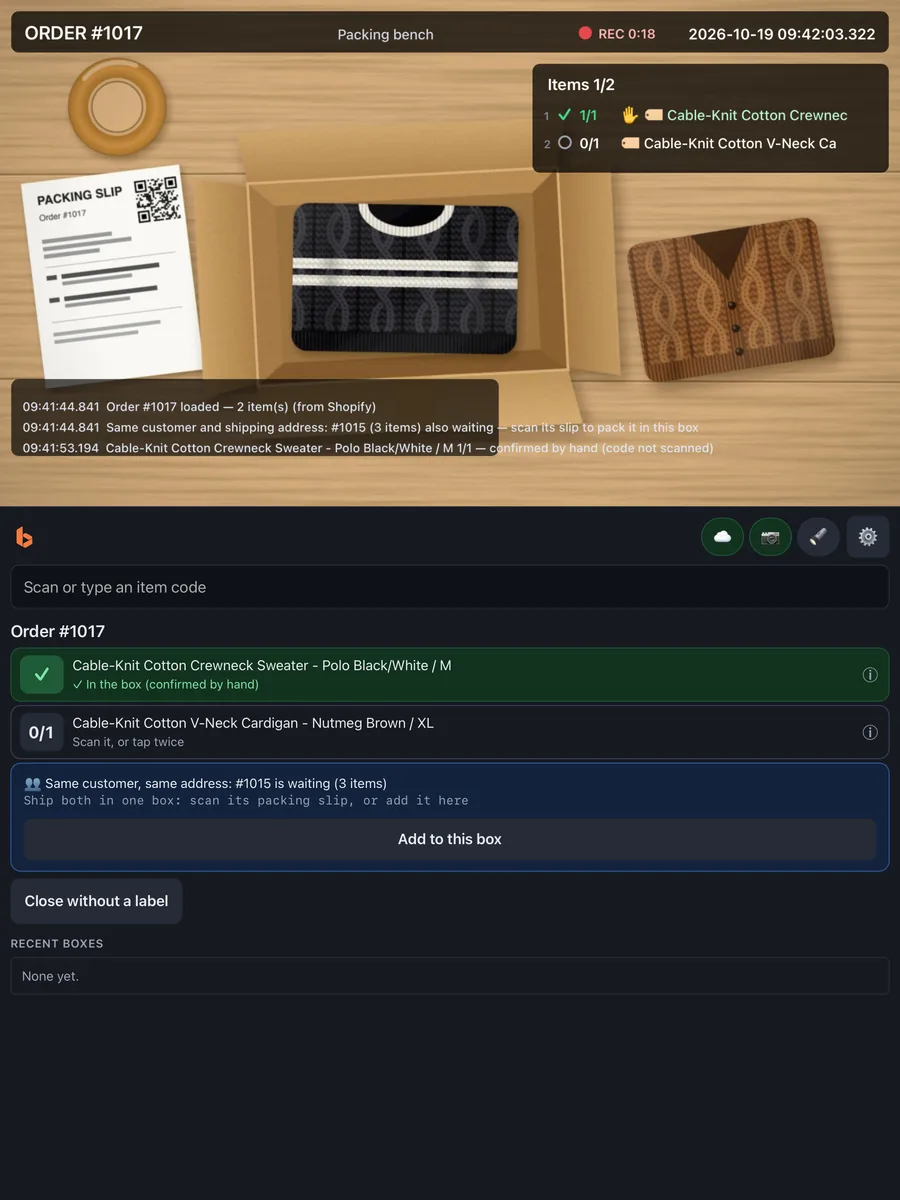
The sweater is confirmed and ticked off: one of two items in the box. (Screenshot.)
A snowboard isn't on this order. The station says so at once, and the box can't be mistaken for complete. (Screenshot.)
Both items in, the box is sealed. The video, with the mistake caught and corrected, is saved with the order. (Screenshot.)
Film opening this box
Scan with your phone camera before you open it — proof of what arrived.
Boxwitness
The station prints the box's unboxing sticker as you pack. Its QR code is tied to this box's record. (Illustration.)
The sticker opens a page in the phone's browser. It names your store, says what to film and asks for consent first. (Illustration.)
Show the label, open the box, show each item. Tap Stop when you're done.
StopRear camera, no sound. The video is sent while they film, and afterwards they say how it arrived. (Illustration.)
Order #1017 Cable-knit crewneck, V-neck cardigan
Packing videoOct 19 · 0:35
Customer unboxingOct 22 · 1:42
The customer said it arrived fine.
Filmed by the customer Oct 22 · 1:42 · SHA-256 9f2c41ab07d3e5c8…
Open the order: your packing video and the customer's video side by side, with their report. (Illustration.)
Calculator
Put in your own numbers. Every figure here comes from what you enter: an illustration to help you think it through, not a promise of results.
Wrong items, missing items and swapped sizes or colours.
The refund or the reshipment, shipping both ways, any chargeback fee and your team's time.
Your own estimate, for illustration. Boxwitness doesn't measure or promise this figure.
Estimated cost of errors
$1,200 / month
20 errors a month at $60 each
Growth covers 2,500 boxes a month for $49 a month.
Growth pays for itself if it stops one error a month.
Start for freeIllustrative only: these figures come from the numbers you enter. They are not measured Boxwitness results.
Proof for chargebacks and claims
The verdict, the items, the weight, the shipping label, a photo of each item as it was shown, and the video's fingerprint and timestamps, for every packed box, return and supplier delivery.
Proof of packing
VerifiedAn example Proof PDF (illustration).
FAQ
Short, accurate answers. More in the full FAQ, or write to info@boxwitness.com.
No. A computer with Google Chrome and a webcam, or an iPhone or Android phone with the Boxwitness Station app. No camera? A USB or Bluetooth barcode scanner can run a station on its own, without video. A USB scale and a label printer are optional.
Yes. USB and Bluetooth handheld scanners work as keyboard input anywhere on the station's page. The camera reads codes too: QR, EAN-13, UPC-A, Code 128 and more. With no camera, choose Barcode scanner only for the station: every box is checked the same way, without a video.
Up to 90 days on Free and Starter, 180 days on Growth and 365 days on Pro, and you can choose a shorter time. Then they're deleted automatically.
No. The sticker opens a page in the phone's browser. Taking part is voluntary, and nothing is recorded until they agree.
Yes. Unboxing stickers are off until you turn them on, and then you choose which boxes get one.
No. The card issuer or the marketplace decides. Boxwitness gives you a clear record to support your response: what was checked, the video, the times and a Proof PDF.
Setup takes minutes: install the app or sign in to the portal, connect a station with a short code, and show your first packing slip.
Check every item, record every box, and give your customers a way to show what arrived. Start free with 15 boxes a month, or with a 7-day free trial of a paid plan. Compare plans